After the Jump is a feature which lets you create expandable post summaries in your blog posts, so longer posts appear as an intro with a link to Read More.
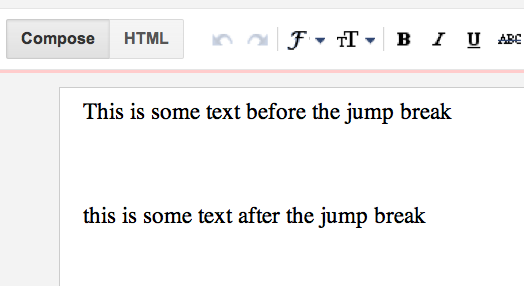
Once your mouse cursor is placed at the jump point, simply click the Insert Jump Break toolbar icon:
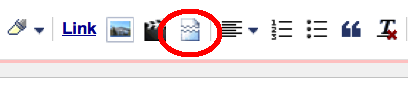
Clicking the icon will insert a grey bar at the cursor point, illustrating where in the post your break will appear. The bar can be dragged though, so you can always re-position it after insertion.
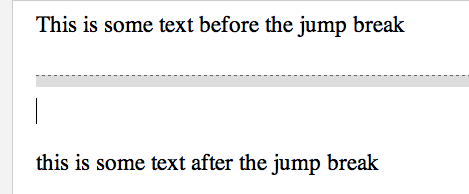
Once you decide on the jump break's location within the post, you're ready to publish your post. After publishing, you'll notice that the Read More link is placed where you set the jump break. Clicking on the Read More link will then display the full text of the post.
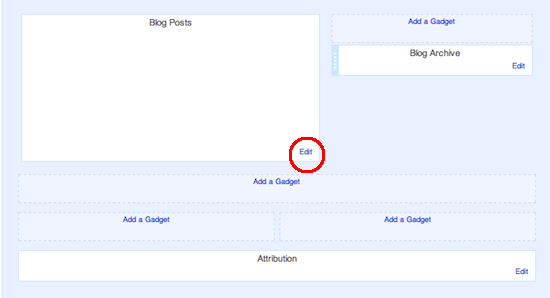
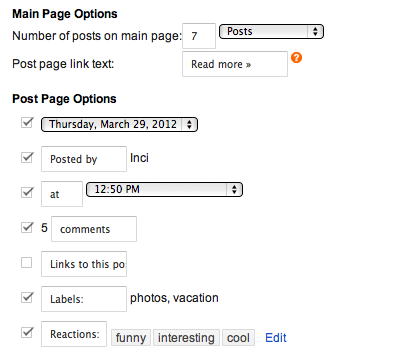
If you feel like changing the Read More text to your own custom phrase, you can easily do this from the Layout tab. ClickEdit on the Blog Post widget, and then change the Post page link text to whatever you'd like.


0 komentar:
Posting Komentar
Ayo Sob Komentar Dulu Jangan Main Kabur Aja